Photo scanning service vs doing it yourself: the real comparison
The honest way to decide between a scanning service and a DIY scan-a-thon. Put a number on your own time, know what services quietly skip, and ask the right questions before you mail anything.
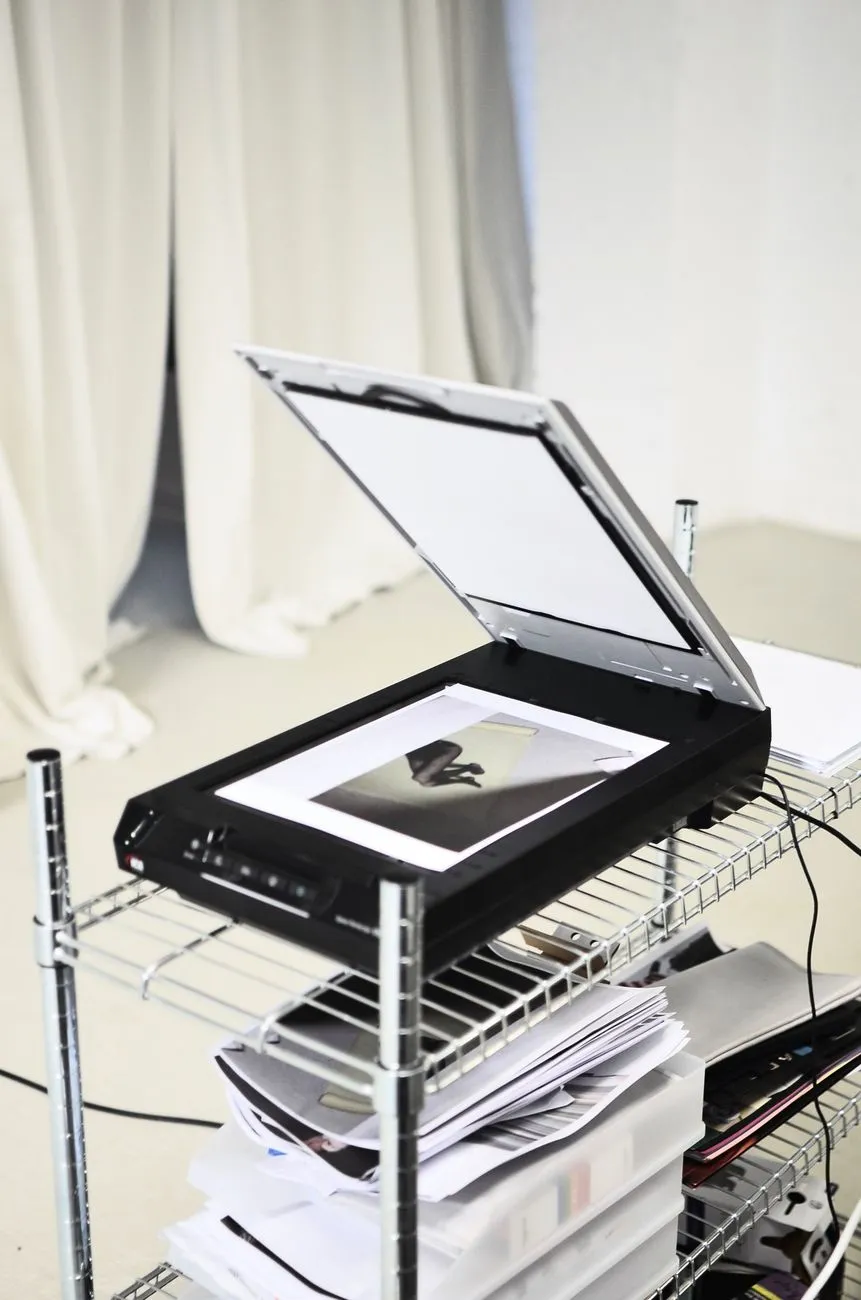
Somewhere between a hundred and a few thousand family photographs, everyone asks the same question. Box them up and mail them to a scanning service, or set up a scanner on the kitchen table and do it yourself. Both answers are right for different collections, and the comparison that actually matters is not the one most people run.
The real comparison is hours, not dollars
Scanning services quote a price per photo, usually somewhere between 25 and 50 cents at bulk volume, sometimes less for very large orders. That number is easy to compare against nothing, which is what doing it yourself feels like it costs. It is not nothing. It costs time, and time is the actual currency here.
A realistic pace for careful home scanning, placing each print, checking the preview, saving the file, is somewhere around one photo every 45 to 90 seconds once you have a rhythm going. Push much faster than that and you start missing crooked scans, dust, or the wrong crop, which means rescanning later. At that pace, a thousand photographs is 12 to 25 hours of actual seated work, not counting culling or sorting.
Put a real number on your own hour before you compare quotes. If your time is worth $30 an hour to you, and you would genuinely spend it earning or resting rather than scanning, a thousand photos at a service’s $300 to $500 bulk rate can come out roughly even with doing it yourself, once you count the hours honestly instead of treating them as free. If your evenings are otherwise unclaimed and you find the process satisfying, the same maths tips hard toward DIY, because the hours were never going to be spent on anything you valued more.
Where a service clearly wins on time is volume above a few thousand prints, or a deadline, like needing a digitised set of photos for a memorial slideshow next week rather than next season. Where DIY clearly wins is a collection small enough to finish in a weekend or two, or a collection you want to look through slowly anyway, because you have not seen half of these photos in twenty years.
What services do not do
The quote you get from a scanning service covers exactly one thing: turning a physical print into a digital file at a given resolution. Nearly everything people actually want from digitising a family collection sits outside that.
Culling. A box of a thousand prints usually holds two or three hundred that are blurry, near-duplicate, or genuinely not worth keeping, a second shot of the same birthday candle a minute apart. A service scans what you send. It has no way to know which shots matter to your family and which were the photographer working through a roll.
Captioning. Nobody at a scanning facility knows that the woman in the floral dress is your great-aunt Rosa, or that the photo was taken at the lake house the summer before it was sold. That knowledge lives with you and whoever else in the family remembers, and it does not transfer onto a file automatically. Once a print goes back in a box, that knowledge starts to fade with whoever is left to remember it.
Sequencing. Loose prints from a shoebox rarely arrive in any order, and they rarely leave in one either. A service scans in the order it received them and hands back files numbered accordingly, which is not the same as chronological or even coherent.
Judging which prints deserve a higher setting. A standard service tier scans everything at one resolution. If a handful of your prints are small, faded, or especially precious and would benefit from a slower, higher-resolution pass, that is usually an upsell you have to ask for and specify print by print, not something the service decides on your behalf.
None of this makes a service a bad choice. It just means the quote you are comparing to a weekend of your own time is for a narrower job than “digitise my family archive.” Budget separate time, yours or a relative’s, for the culling and captioning regardless of who does the scanning.
What to ask before you mail anything
If a service still makes sense for your collection, a short list of questions before you commit saves a worse conversation later.
What resolution, exactly, and can it vary by photo? Ask for the DPI figure by name, not a marketing term like “high resolution.” Our scan resolution calculator works out the setting that actually matches a print’s size and how much detail you want to keep, so you can hold the quote to a real number rather than trusting the word “premium.”
What file format do you get back, and is there a compressed and an uncompressed option? TIFF or a high-quality, minimally compressed JPEG for the archival master, separate from anything web-sized they might also offer. A service that only returns small JPEGs has scanned your originals at a quality you cannot recover later, regardless of what the file on your screen looks like.
Are your prints returned, and how? Some services return prints by standard post in the same envelope batches they arrived in, which is a real risk for anything irreplaceable. Ask about insured or tracked return shipping specifically, and whether it is included in the quoted price or added afterward.
What happens to your files on their end? Some services keep a copy on their own servers for a period after delivery, which can be useful if a drive fails on your end, or a privacy question if the photos are sensitive. Get a straight answer on retention and deletion before you send anything, not after.
Is colour negative and slide film handled differently from prints? Film needs different equipment and much higher resolution than a print scan, and pricing per frame is usually separate. If you have boxes of negatives or slides mixed in with prints, treat that quote as its own line item. Our guide on scanning 35mm slides and negatives at home is worth reading even if you end up sending the film out, since it explains what a good scan of film should look like and gives you something to check the service’s result against.
A middle path worth considering
The choice is not strictly binary. A common approach that works well for a mixed or damaged collection is scanning the majority yourself at a steady, unhurried pace, and sending only the photographs that are physically deteriorating, curling, cracking, or developing the mottled texture that comes with age, to a service or a specialist with equipment built for fragile originals. Our guide on deteriorated and mottled photographs explains what that kind of damage looks like and why some of it is worth a professional pass rather than a home flatbed.
Whichever route you take for the scanning itself, the digital files are only safe once they exist in more than one place. A scan sitting alone on the laptop that did the scanning is one spill away from being exactly as fragile as the box it came from. Our guide on backing up scanned family photos covers a simple, low-effort way to make sure that never happens.
The honest bottom line
There is no universally right answer here, only a right answer for your collection. Small enough to enjoy scanning yourself, or don’t have thousands sitting in a garage: do it yourself, and treat the process as a chance to actually look at every photo again. Large, urgent, or full of fragile originals you are nervous handling: a service earns its price, provided you have asked it the right questions first. What decides it is rarely the quote. It is whether you have the hours, and whether you want them.
Common questions
- Is a scanning service cheaper than doing it myself?
- Per photo, usually not by much once you own or borrow a decent scanner. Services typically charge somewhere between 25 and 50 cents a print at bulk volume, and a flatbed scanner pays for itself within a few hundred photos. The real cost difference is time, not equipment, and that only tips toward a service once your collection runs into the thousands.
- What resolution should I ask a scanning service to use?
- 600 DPI is a reasonable default for standard prints, high enough to reprint at the same size or slightly larger without softness. Ask for a higher setting, 1200 DPI or above, on anything small, like a wallet print or a passport photo, or anything you might want enlarged. Our scan resolution calculator works out the exact number for a given print size and output.
- Will a scanning service organise my photos for me?
- Almost never, and it is worth assuming the opposite by default. Most services scan in the order the box arrived and return files named with a running number. Culling duplicates, captioning who is in the photo, and sequencing them into any kind of order is work you either do before you mail the box or after the files come back, and it is real work either way.
- What happens to my photos and files after a scanning service is done?
- This varies enough between services that it is worth asking directly rather than assuming. Confirm whether your prints are returned at all, whether the service keeps a copy of your files on its own servers and for how long, and whether return shipping is included or added at the end. A service that will not answer clearly is a service to avoid, regardless of price.