Can a deteriorating photo be saved?
How to fix mottled, deteriorating old photos
Sometimes a photo is not damaged in one place, it is quietly failing everywhere: a mottled texture spreading through the image as the surface breaks down.

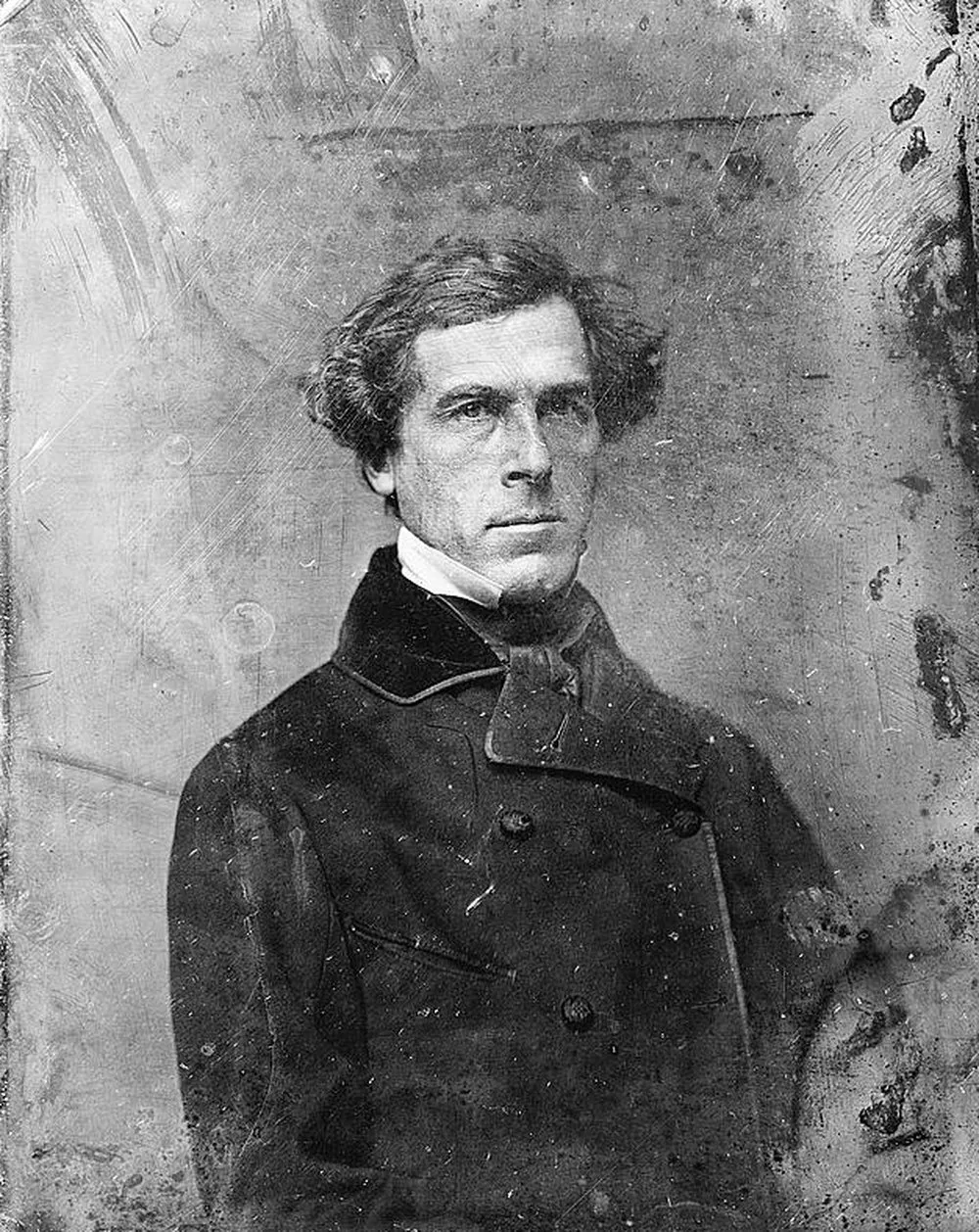
 Before
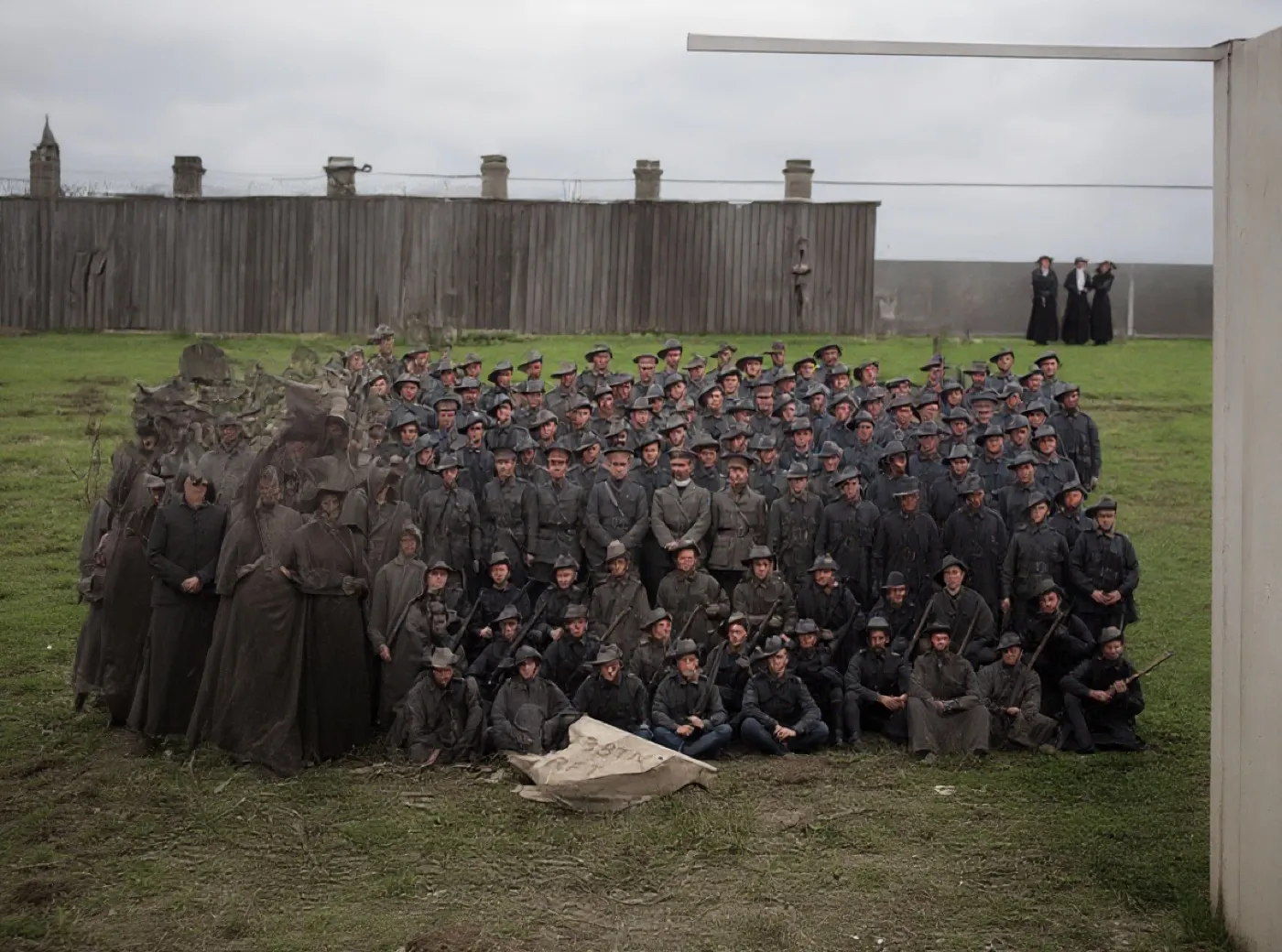 What came back
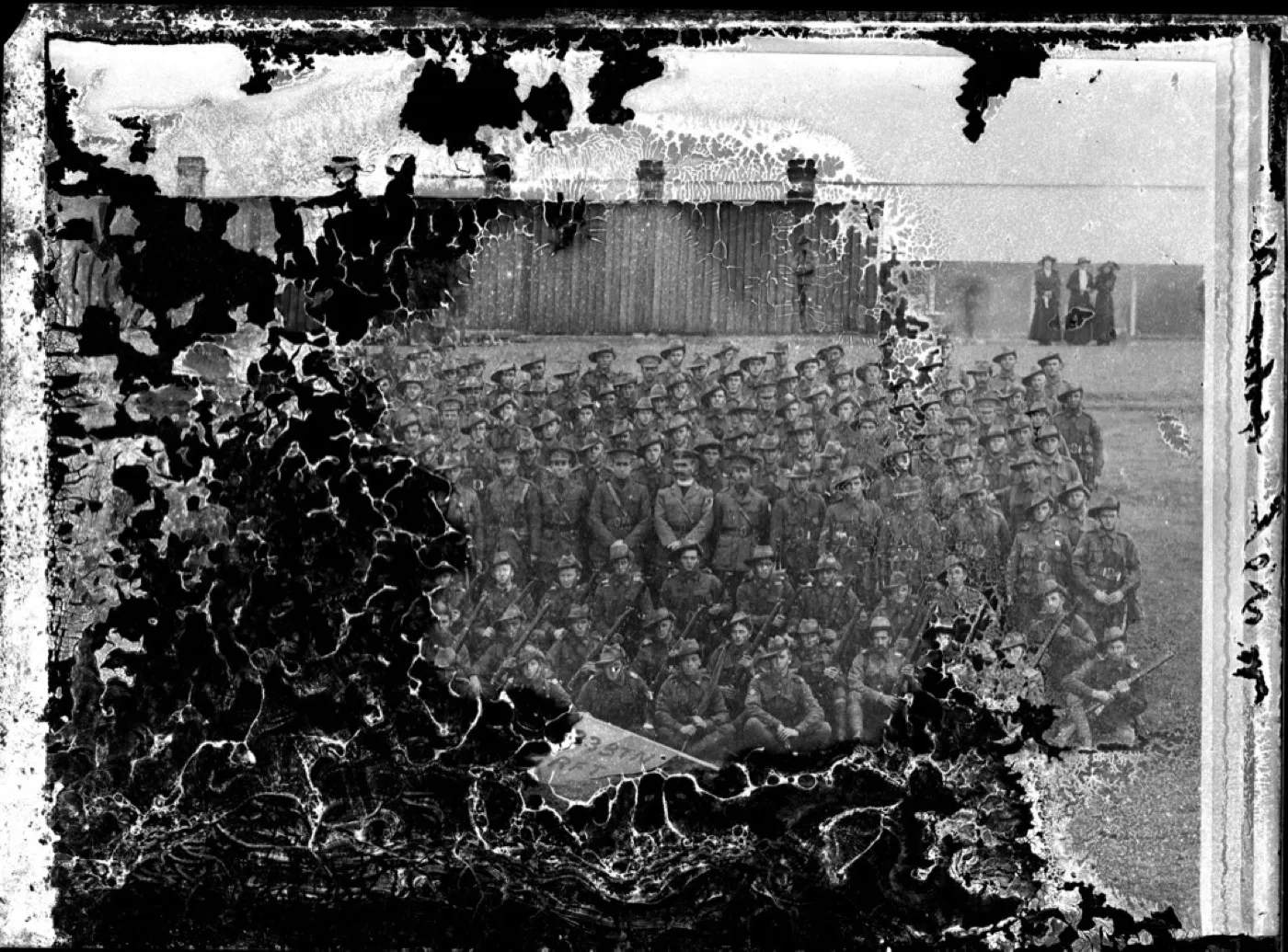
A group photograph with the emulsion flaking away
This is the extreme end: whole areas of image layer have lifted off. The expected result is a frame that shows both what survives through the mottling and where reconstruction takes over.
Look at the left of the second frame. Where the emulsion had lifted off the plate, the control filled the gap with people. Those dark standing figures were never in this photograph, and neither was the pole and panel on the right. The battalion in the middle, where the image layer survived, comes through well. This is the clearest picture on the site of where reconstruction stops being repair: given nothing to work from, the model does not leave a hole, it writes something plausible into it.
- Source
- 33rd Battalion unit photograph, about 1915
- Holder and licence
- Wikimedia Commons, public domain, copyright expired
- Control used
- Restore
- Model it called
- flux-kontext-apps/restore-image on Replicate
- Elapsed
- 6.8 seconds
- Output size
- 1184 x 880 px
- Captured
- 17 Sep 2026

What this damage is
Mottling is the image layer itself giving way, from repeated humidity swings, temperature cycles in attics and garages, or the slow chemistry of a century. It reads as an all-over texture, blotchy patches, edges creeping inward.
It is progressive. A photo mottling in a shoebox will be worse in five years, which makes scanning it now less housekeeping and more rescue.
Can it be fixed?
Restoration handles mottling as a texture to see through rather than spots to remove, rebuilding the underlying portrait across the whole surface, as the example shows. The stronger the remaining detail, the closer the result stays to the original. Because deterioration is progressive, the scan matters more here than anywhere: today's scan preserves more photo than next year's will.
Where the repair stops
Restoration sees through mottling where enough picture survives underneath. Where the image layer has broken up completely, what comes back is a reconstruction of a photograph rather than the photograph. The test is the face: if it still reads in the original, the result is a repair.
Before any repair, get a proper scan: the DPI advisor gives the right setting in two questions, and the scanning guide covers the craft.
One print with all-over emulsion breakdown, run through three tools on the same day.
Photo Restore
Our own app, the Restore control
- Elapsed
- Awaiting the run
- Verdict
- Not written yet
Pending a run: every restoration is billed to a hosted model, so it needs sign-off.
MyHeritage Photo Enhancer
Free tier, with In Color
- Elapsed
- Awaiting the run
- Verdict
- Not written yet
Pending the chairman: the free tier will not release a result without an account.
Remini
Free tier, the enhance preset
- Elapsed
- Awaiting the run
- Verdict
- Not written yet
Pending the chairman: the free tier is an app install behind a sign-in.
When these three frames exist, this bench will say plainly what each tool beats us at. A comparison that only ever finds us in front is an advert, and we have said so on the about page since July.
Five things to do to the original, in this order
- Scan it now. Mottling is progressive and today's scan holds more photograph than next year's will.
- Get it out of the attic, garage or shed it has been living in.
- Scan at 600 DPI or higher in colour, with every automatic correction off.
- Do not try to flatten, clean or trim a print whose surface is already breaking up.
- Store it flat in acid free paper at stable, moderate humidity.
Common questions
- Why is my photo deteriorating evenly all over?
- The image layer itself is breaking down, usually from humidity cycles or its own aging chemistry, rather than from an event like a spill. It will continue, so scan it soon.
- Can deterioration be stopped?
- Slowed dramatically, yes: stable moderate humidity, no attics or garages, acid-free storage. Stopped entirely, no. The permanent copy is the scan, not the paper.
- Is a deteriorating photo worth restoring?
- The example on this page had lost its whole surface to mottling and came back as a clean portrait. As long as the face still reads in the original, it is worth the attempt.
The damage is the before. You hold the after.
Real repairs on real photographs. Your family's copies deserve the same rescue.