Can scratched photos be fixed?
How to fix scratches on old photos
Scratches are the most common damage old photos carry, and among the most fixable. Here is what causes them, and two genuine repairs.

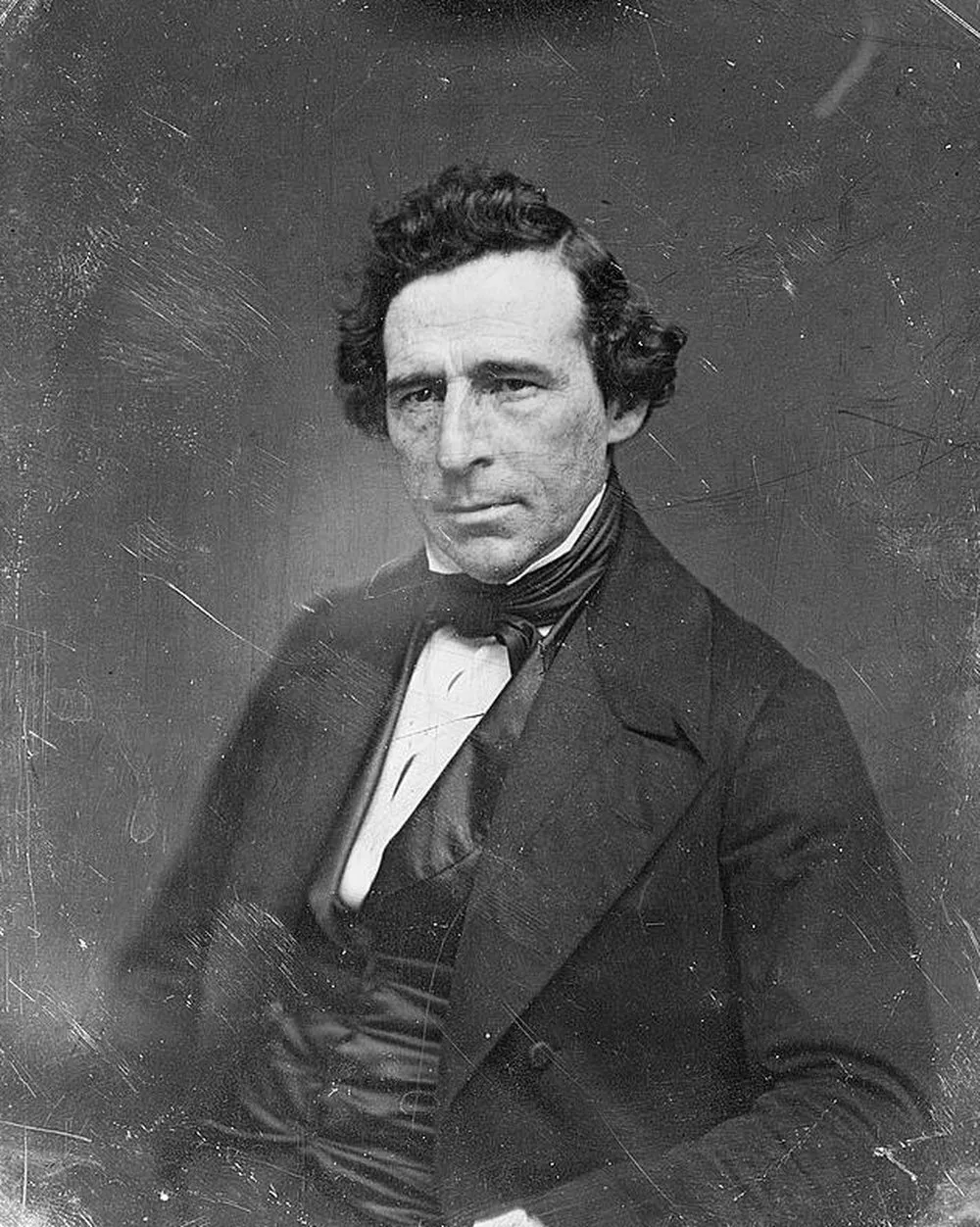

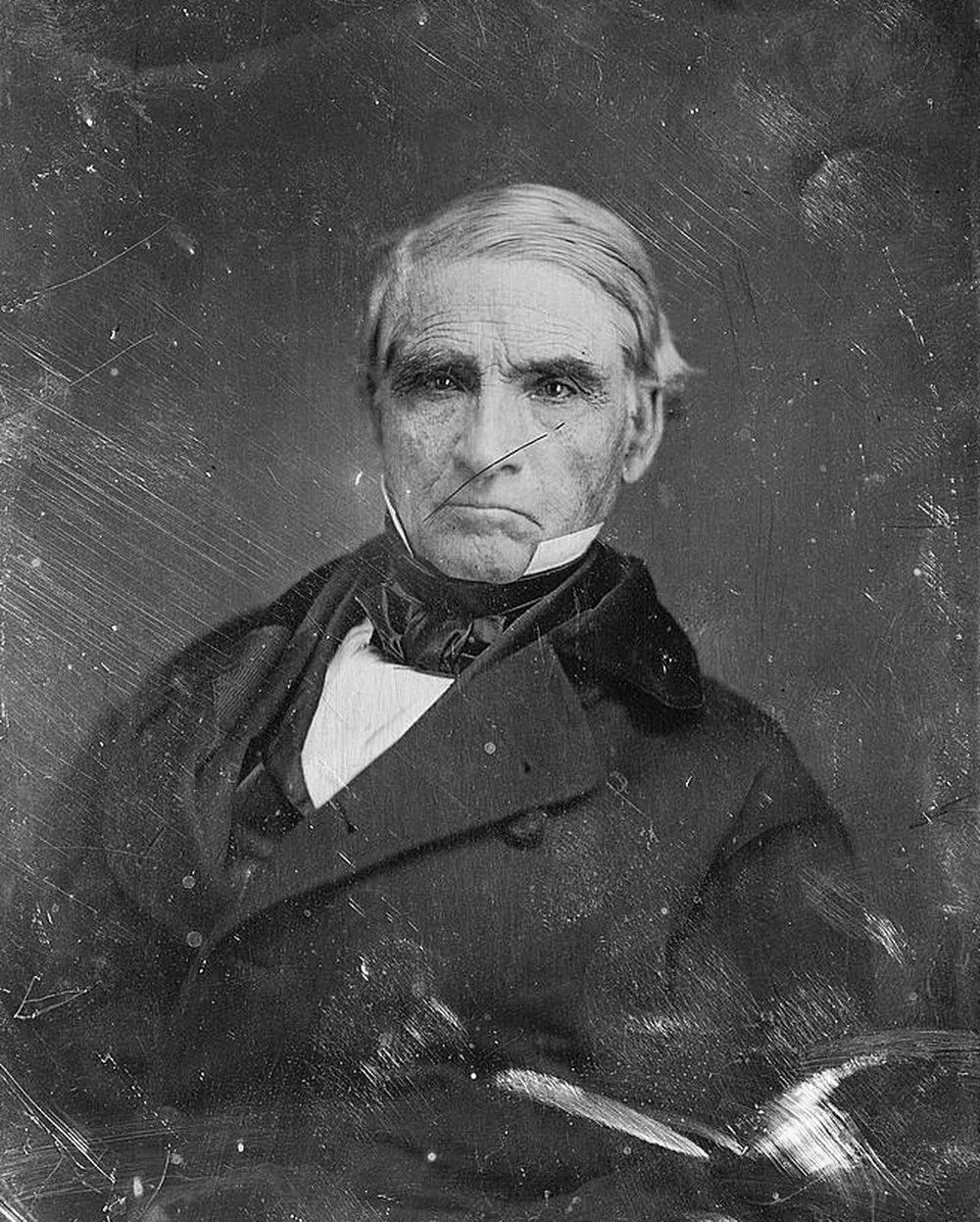
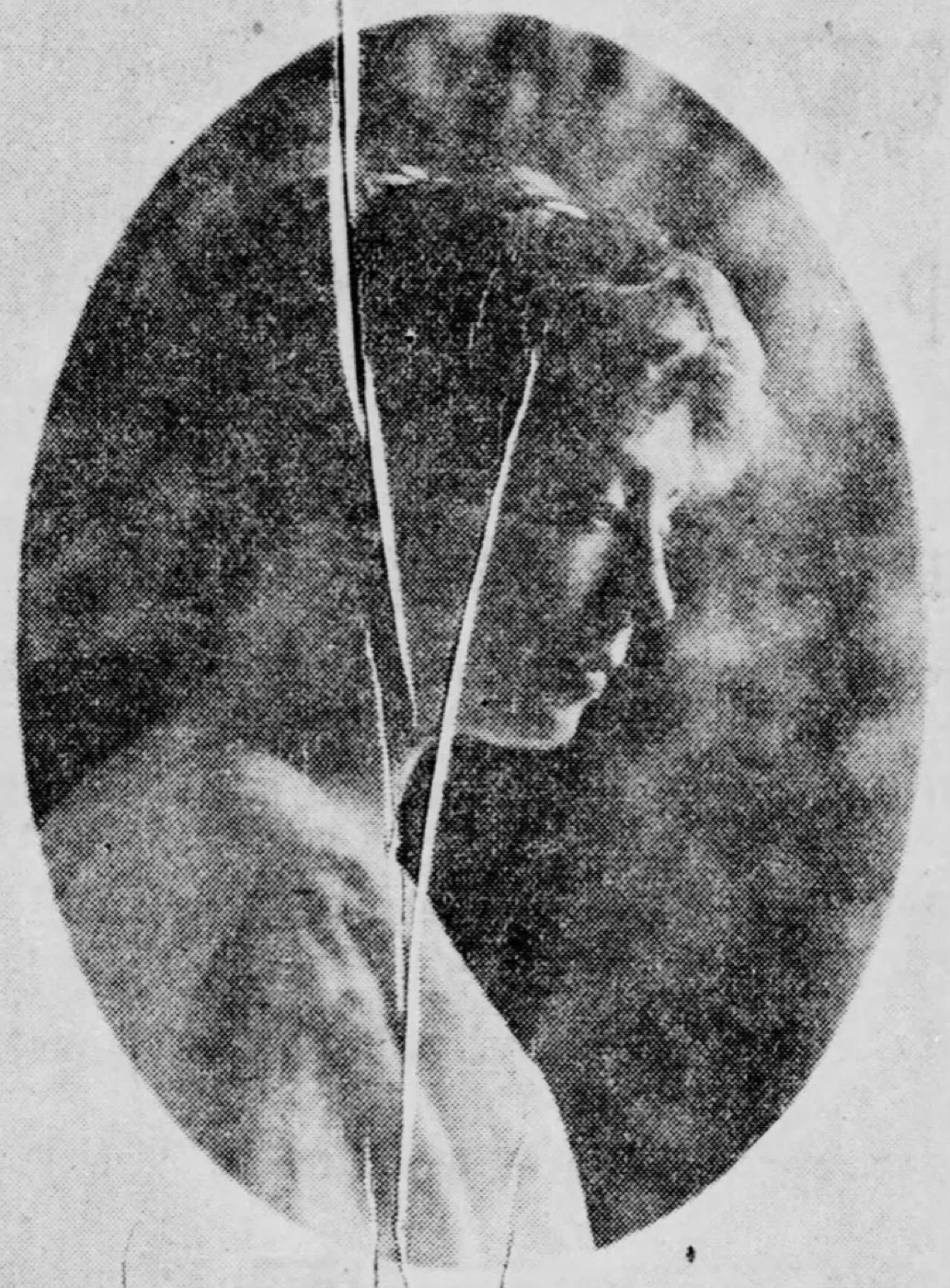 Before
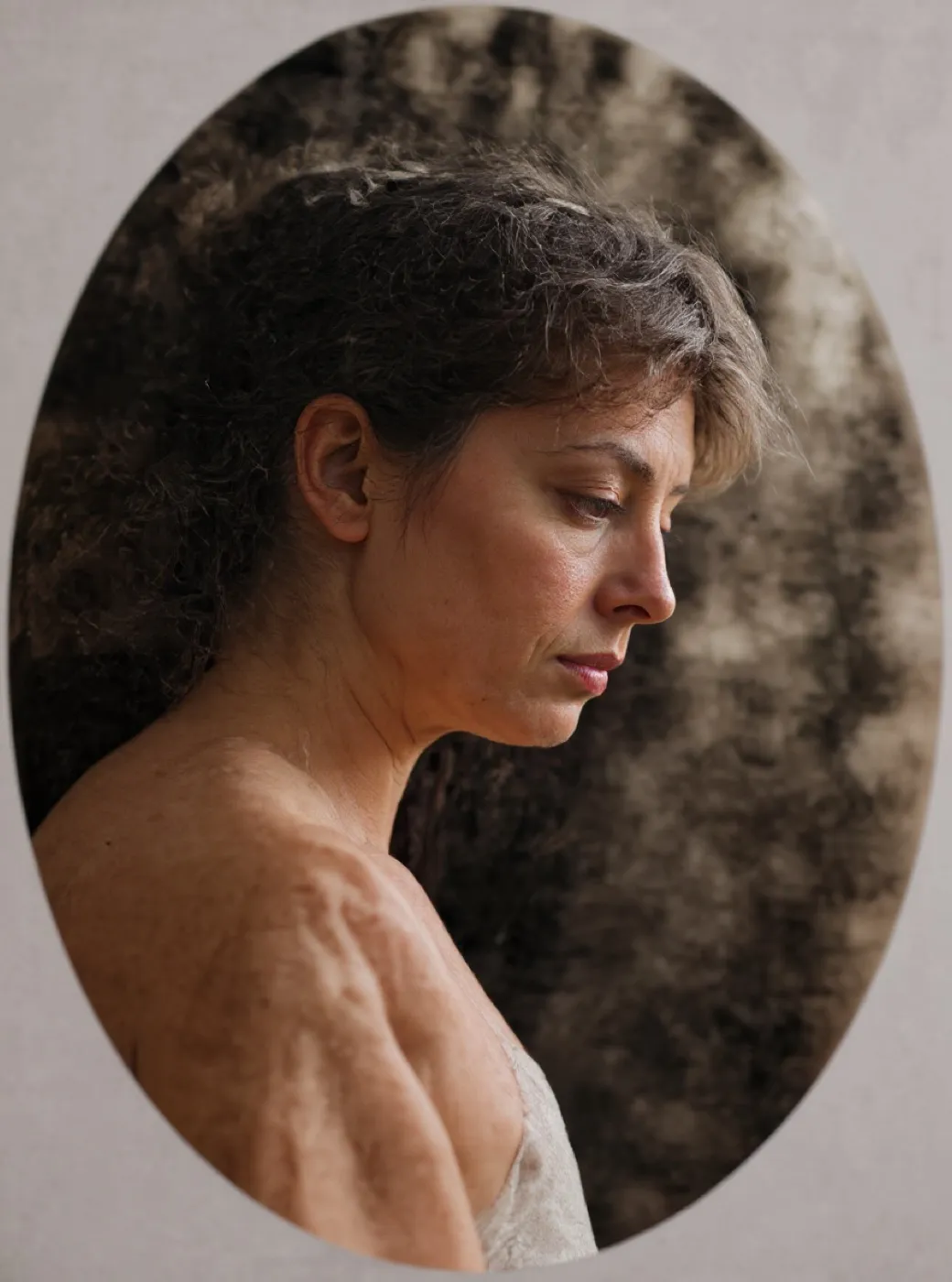 What came back
A 1914 portrait with a crack running down the face
This is the hard case on purpose: the damage crosses skin. The point of the frame is to show where a tightly bounded reconstruction still reads as the same person, and where it starts to drift.
The scratches are gone and so is the sitter. Restore rebuilt the portrait as a different, younger woman, differently dressed, turned the same way and lit the same way. Ada Stoddard is not in the second frame. This is the miss this page promised to show: on a small, heavily screened portrait the control does not repair a face, it composes one. Every frame it returns is a new photograph, and on a face that is the difference between a repair and a replacement.
- Source
- Ada Stoddard, 1914
- Holder and licence
- Wikimedia Commons, public domain, copyright expired
- Control used
- Restore
- Model it called
- flux-kontext-apps/restore-image on Replicate
- Elapsed
- 8.8 seconds
- Output size
- 880 x 1184 px
- Captured
- 17 Sep 2026

What this damage is
Most scratches come from storage, not accidents: photos stacked face to back, slid in and out of boxes, or wiped with a dry cloth that dragged grit across the surface. Each pass leaves fine lines that catch the light. Deeper gouges usually mean something sharp, a paperclip, a frame edge, a fingernail.
On very old pictures the scratched layer is the image itself, so every line is missing picture, not dirt sitting on top. That is why no amount of cleaning helps, and why the repair has to be a reconstruction.
Can it be fixed?
AI restoration treats each scratch as a gap and rebuilds what should be underneath from the surrounding image. Fine scratch webs disappear almost perfectly. A scratch across a face is harder, and the second example below shows an honest result: the line is gone and the face reads naturally. The narrower the scratch, the more faithful the reconstruction.
Where the repair stops
A scratch is a gap, and a gap has to be filled with something. Across fabric or a wall the fill is copied from a real neighbour and the result is a repair. Across an eye there is no neighbour that predicts an eye, so the fill is composed. Check the second frame on this page at full size before you trust it.
Before any repair, get a proper scan: the DPI advisor gives the right setting in two questions, and the scanning guide covers the craft.
A single daguerreotype with a fine scratch web, run through three tools on the same day, at the same input size.
Photo Restore
Our own app, the Restore control
- Elapsed
- Awaiting the run
- Verdict
- Not written yet
Pending a run: every restoration is billed to a hosted model, so it needs sign-off.
MyHeritage Photo Enhancer
Free tier, with In Color
- Elapsed
- Awaiting the run
- Verdict
- Not written yet
Pending the chairman: the free tier will not release a result without an account.
Remini
Free tier, the enhance preset
- Elapsed
- Awaiting the run
- Verdict
- Not written yet
Pending the chairman: the free tier is an app install behind a sign-in.
When these three frames exist, this bench will say plainly what each tool beats us at. A comparison that only ever finds us in front is an advert, and we have said so on the about page since July.
Five things to do to the original, in this order
- Stop wiping it. A dry cloth is what put most of those lines there.
- Hold the print by its edges, with clean dry hands.
- Lift loose dust with a soft dry brush, and nothing else.
- Scan at 600 DPI or higher, in colour, and save a TIFF master.
- Store the original flat in an acid free envelope, away from light.
Common questions
- Can deep scratches be removed from old photos?
- Usually, yes. AI restoration rebuilds the missing area from the surrounding image. Results are near perfect for fine scratches; a deep gouge through a face is reconstructed plausibly rather than recovered exactly, because the original information is gone.
- Should I try to polish scratches off a photo?
- No. Polishing or rubbing removes more of the image layer and turns fine scratches into large worn patches. Scan the photo as it is and do the repair digitally, so the original is never touched.
- What DPI should I scan a scratched photo at?
- 600 DPI or higher. The repair model works best when it can see the scratch edges clearly; a low-resolution scan blurs the boundary between scratch and picture.
The damage is the before. You hold the after.
Real repairs on real photographs. Your family's copies deserve the same rescue.