Can stains be removed from old photos?
How to fix dark stains on old photos
Not every mark is water. Old processing chemicals, glue, tape and decades of contact leave dark stains that no eraser touches. Digitally, they lift.

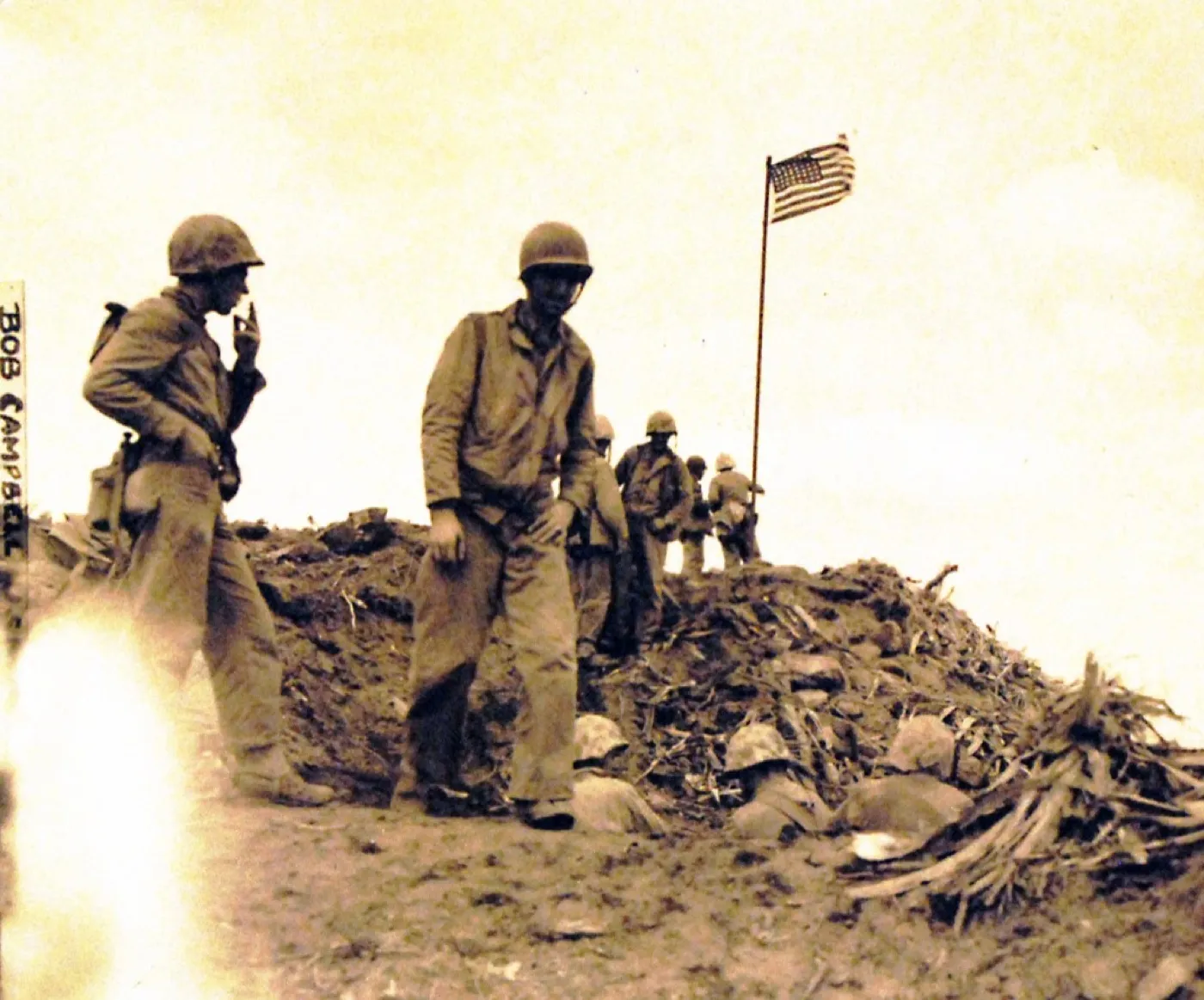 Before
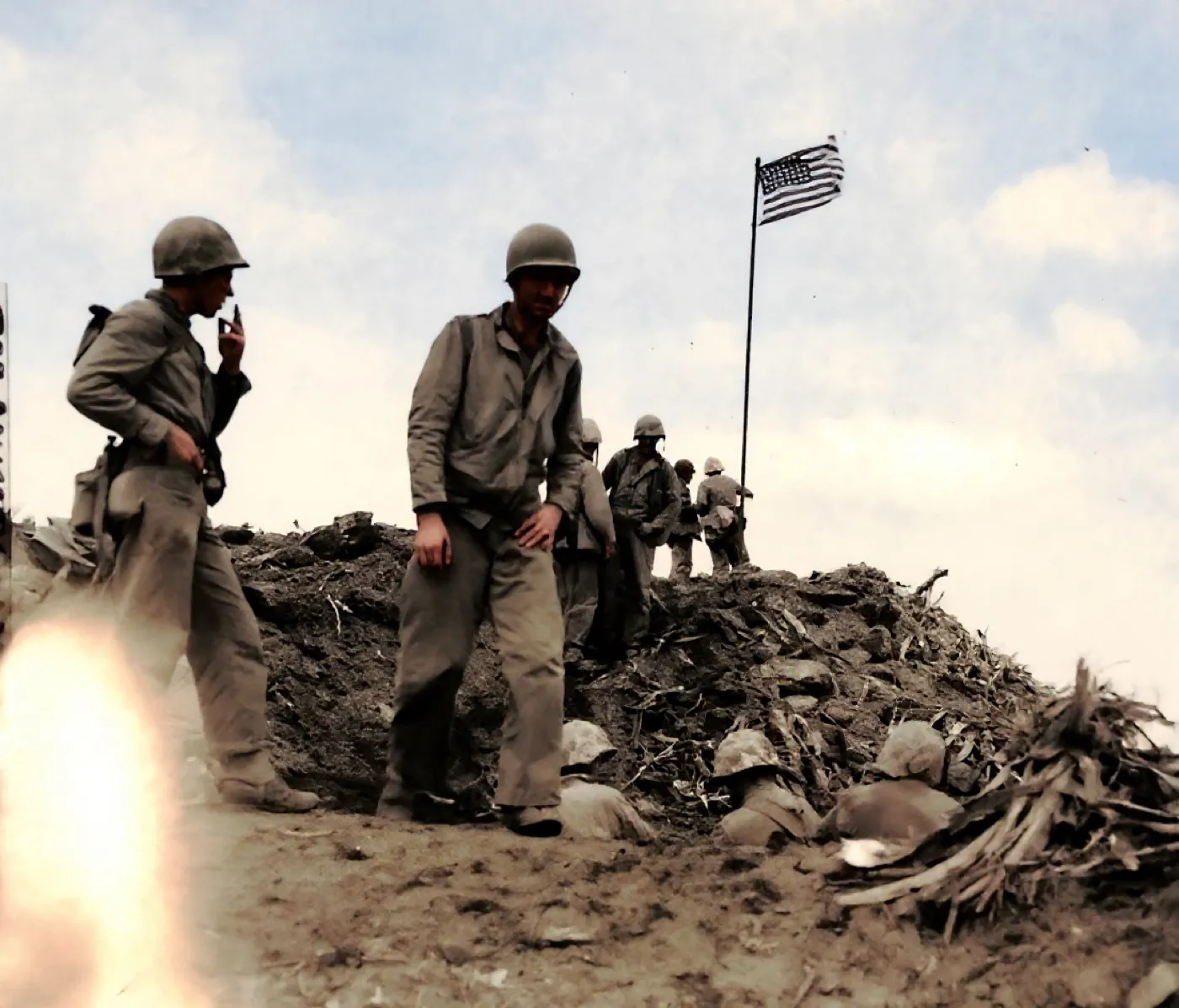 After
AfterChemical staining and burn damage down one edge
The mark crosses both a blown sky and a dark uniform, which is the useful test: a fill that matches on one and fails on the other tells you exactly what the model is doing.
The useful part of this test was that the mark crossed two very different surfaces, a blown sky and dark uniforms, and the fill held on both. The standing figures, the flag and the ground all survive. A pale ghost of the burn is still there at the lower left, which is the honest reading: the control lightened that corner rather than solving it. Colour was added by the model, not by us.
- Source
- US Marine Corps record photograph 127-GW-319-112715
- Holder and licence
- US National Archives, public domain, United States government record
- Control used
- Restore
- Model it called
- flux-kontext-apps/restore-image on Replicate
- Elapsed
- 10.1 seconds
- Output size
- 1104 x 944 px
- Captured
- 17 Sep 2026

What this damage is
Photographs carry their own chemistry, and when early processing left residues behind, the picture keeps developing slowly for decades: patches darken, edges bronze, blotches appear where fixer was not fully washed out.
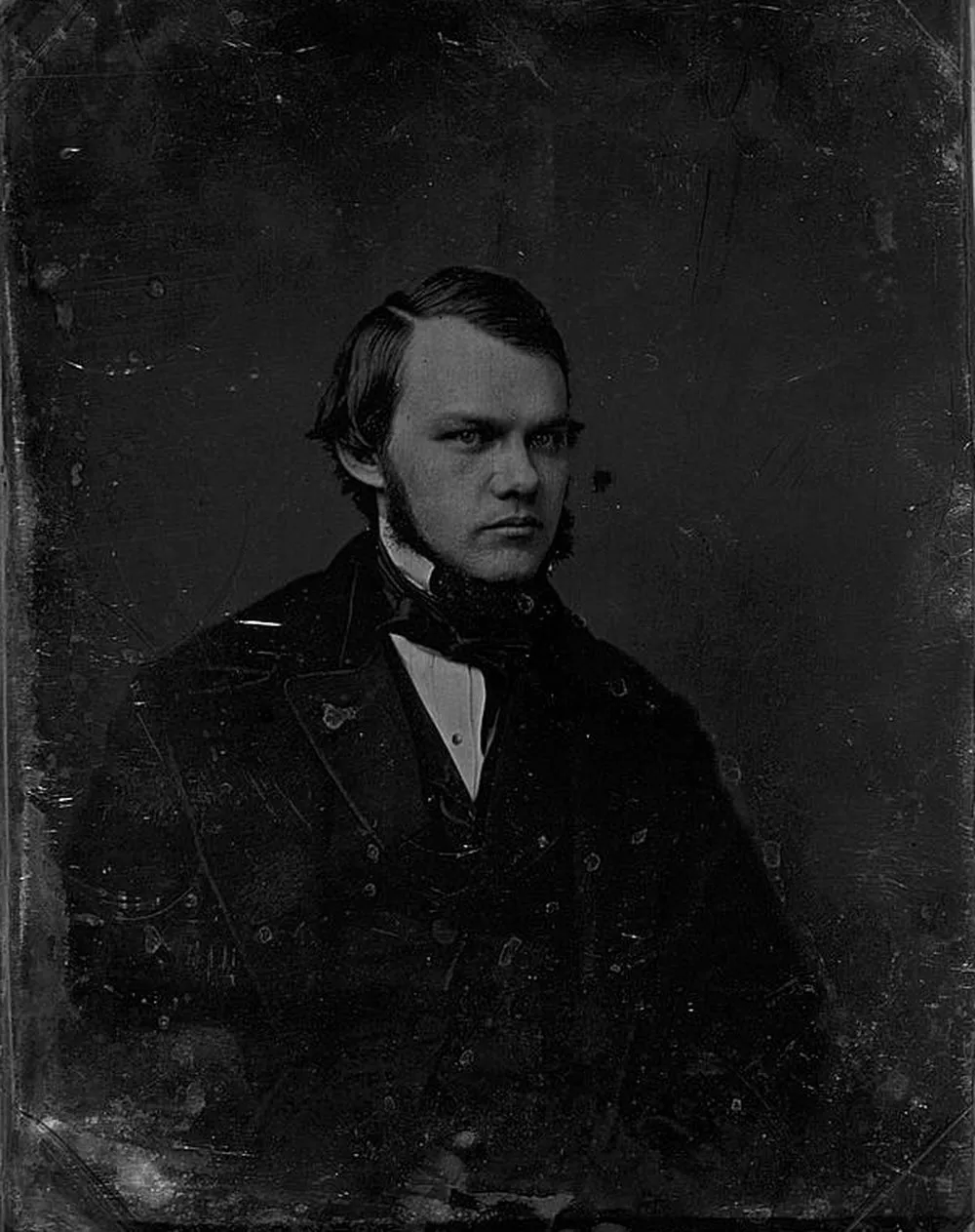
Add what life contributes, glue from albums, tape, fingerprints that etched in over years, and you get the mottled dark staining on the portrait below.
Can it be fixed?
AI restoration reads the stain as a tonal layer over an intact picture and rebuilds the even surface underneath. Dark chemical staining like this responds well. The one honest caveat: where a stain has completely obliterated detail rather than darkened it, the model rebuilds a plausible area, not a recovered one. For a portrait that matters, the face is what counts, and faces under staining usually survive.
Where the repair stops
A chemical or adhesive stain that has only discoloured the surface comes off well. A stain that has been sitting under tape for forty years has usually taken the emulsion with it when the tape came away, and a bare patch of paper cannot be restored, only filled.
Before any repair, get a proper scan: the DPI advisor gives the right setting in two questions, and the scanning guide covers the craft.
One heavily stained print, with the mark crossing both a light and a dark area, run through three tools on the same day.
Photo Restore
Our own app, the Restore control
- Elapsed
- Awaiting the run
- Verdict
- Not written yet
Pending a run: every restoration is billed to a hosted model, so it needs sign-off.
MyHeritage Photo Enhancer
Free tier, with In Color
- Elapsed
- Awaiting the run
- Verdict
- Not written yet
Pending the chairman: the free tier will not release a result without an account.
Remini
Free tier, the enhance preset
- Elapsed
- Awaiting the run
- Verdict
- Not written yet
Pending the chairman: the free tier is an app install behind a sign-in.
When these three frames exist, this bench will say plainly what each tool beats us at. A comparison that only ever finds us in front is an advert, and we have said so on the about page since July.
Five things to do to the original, in this order
- Do not reach for a solvent. What dissolves adhesive also attacks the image layer.
- Do not peel tape off the front of a print, ever.
- Scan it with the stain in place, at 600 DPI, in colour.
- Take the photograph out of whatever stained it: wood pulp boxes, rubber bands, cheap sleeves.
- Store it flat in acid free paper, and treat the scan as the copy you use.
Common questions
- Can tape and glue stains be removed from photos?
- Digitally, yes, and it is the only safe route. Solvents that dissolve adhesive also attack the image layer. Scan the photo with the stain in place and remove it in the restoration.
- Why do old photos develop stains with no obvious cause?
- Usually leftover processing chemistry or acidic storage. Wood pulp boxes, rubber bands and cheap plastic sleeves all leach compounds that mark photographs over the decades.
- Will restoration change the parts of the photo without stains?
- A good restoration is conservative: clean areas pass through with only tone and sharpness improvement. Compare any result against the original scan, which stays untouched.
The damage is the before. You hold the after.
Real repairs on real photographs. Your family's copies deserve the same rescue.